Should You Buy the Proart Display Pa278Cv in 2026? A Deep Dive
Introduction: Why I Bought the PA278CV (and Why I’m Still Using It)
I bought the ProArt Display PA278CV because I wanted a “serious” monitor that didn’t feel like a gaming gimmick and didn’t cost as much as the truly high-end reference displays. My day-to-day work is a mix of photo editing, design layouts, lots of writing, and the occasional video timeline—so I care about color consistency, comfortable text rendering, and a screen that doesn’t fatigue my eyes after long sessions.
I’ve been using this monitor for several months now (long enough to stop being in the honeymoon phase), and I’ve put it through a pretty realistic routine: editing batches of photos, building slide decks, staring at spreadsheets for too long, and watching content at night when I should be sleeping. What I found is that the PA278CV is still a very compelling “creator-first” 27-inch monitor in 2026—but it’s not the automatic recommendation it used to be, because the market has moved. If you’re deciding today, the question isn’t “is it good?”—it’s “is it the right kind of good for your money in 2026?”
Quick Overview: What the ProArt PA278CV Is (and Isn’t)
The PA278CV is a 27-inch, 2560×1440 (QHD) IPS monitor aimed at creators—people who want dependable color, a clean design, and practical connectivity. It isn’t trying to be a high refresh esports display, and it isn’t trying to be an HDR showpiece. In my experience, the PA278CV is best thought of as a “workhorse” screen: consistent, comfortable, and predictable.
It’s also a monitor that makes a lot of sense if you like the idea of a single USB-C cable to your laptop. I bought it partly for that reason, and I’ll talk about how that played out in real use—because USB-C on monitors can be either a dream or a mess depending on implementation.
My Setup and How I Actually Used It
For context, I used the PA278CV in two main setups:
- Laptop-first setup: USB-C from a laptop to the monitor, with the monitor acting as a hub for peripherals.
- Desktop + laptop swap: DisplayPort/HDMI for a desktop, and USB-C for the laptop, switching inputs depending on the day.
Most of my time was spent in productivity apps, photo editing tools, and browser-heavy workflows. I also played some casual games and watched plenty of video content—but I did not buy this as a gaming monitor, and I don’t judge it like one.
Design, Build, and Ergonomics: The Stuff You Notice Every Day
Stand quality and adjustability
One thing I appreciated immediately was the stand. I’m picky about ergonomics because I’ve learned the hard way that a “pretty” monitor that forces a bad posture becomes a daily annoyance. With the PA278CV, I was able to dial in height, tilt, swivel, and pivot without feeling like I was wrestling plastic. After weeks of adjusting it back and forth—standing desk days, sitting days, moving it aside to clean—the stand still feels stable and doesn’t wobble in a way that distracts me while typing.
Bezel and overall look
The aesthetics are understated in a good way. I don’t want RGB lighting in my workspace, and this monitor looks like it belongs in a studio or an office. The bezels are not the thinnest I’ve ever seen, but they’re slim enough that I stop noticing them after a day. The overall vibe is “professional tool,” which is exactly what I wanted.
Controls and OSD experience
This is one of those areas where I had a mixed experience. The on-screen display and controls are usable, but I wouldn’t call them delightful. I’ve used monitors with worse menus, but I’ve also used ones that make switching color modes and inputs feel more intuitive. Once I set it up the way I like, I stopped digging into the menu—so it’s not a daily problem, but it’s not a highlight either.
Connectivity: USB-C, Ports, and the Practical Reality
Connectivity is a major reason people consider this monitor, and it’s one of the reasons I kept it. In my experience, the PA278CV handles the “one-cable” concept well enough to feel reliable, with some caveats you should know before buying in 2026.
USB-C as a single-cable solution
I’ve been using USB-C to connect my laptop for display output and charging. For everyday work, it’s a clean setup: one cable to plug in, and I’m up and running. What I found was that this reduced friction a lot—especially on days when I’m moving between rooms or coming back to the desk for short sessions.
That said, I noticed that USB-C monitor behavior can vary based on the laptop, OS, and even the specific cable. With the PA278CV, I had a couple moments early on where the laptop didn’t immediately wake the monitor after sleep, and I had to unplug/replug USB-C once. It wasn’t frequent enough to feel like a fatal flaw, but it was annoying because the whole point is convenience. After I swapped to a better cable and adjusted sleep settings, those hiccups became rare.
Shop the latest Electronics picks on Amazon.
See Deals →Ports and hub usage
I used the monitor’s USB ports for a keyboard dongle and occasionally a USB drive. For basic peripherals, it’s fine. I wouldn’t treat it like a high-performance docking station, though. If you’re expecting the monitor to replace a serious Thunderbolt dock for multiple high-speed devices, my advice is to be realistic: it’s convenient, but it’s not a full dock replacement for every scenario.
Display Quality: The Core of the Experience
Resolution and sharpness (QHD at 27 inches)
At 27 inches, QHD is a sweet spot for a lot of workflows. Text looks crisp without forcing extreme scaling, and I can fit two documents side-by-side comfortably. After using it for months, I still think the resolution choice is one of the PA278CV’s strengths—especially if your workflow is heavy on reading and writing and you want a clean, stable UI.
In 2026, 4K at 27 inches is more common and sometimes more affordable than it used to be. But I’ll be honest: I don’t always prefer 4K at 27 inches because it often means scaling quirks, and it can make some apps feel slightly less predictable. The PA278CV’s QHD resolution has been a “set it and forget it” experience for me.
Color: What I liked, and what I noticed over time
This is where the ProArt branding matters. I bought it because I wanted dependable color without spending a fortune, and overall I’ve been happy. Skin tones in photos looked natural once I settled into a consistent workflow, and I felt more confident that what I was editing would translate reasonably well to other screens.
However, I also learned that “good factory calibration” doesn’t mean “never calibrate.” After testing for a while, I noticed that my eyes would sometimes interp…
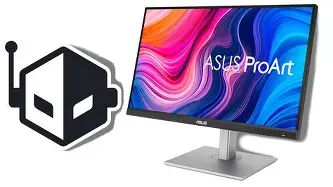
One thing that genuinely impressed me was consistency. I didn’t see weird patchy color behavior that makes editing frustrating. I’m sensitive to unevenness in large areas of gray (like when working on layouts), and while no IPS panel is perfect, this one stayed within what I consider “normal and workable” for the price.
Brightness and working in different lighting
In my experience, brightness has been sufficient for a typical office or home office. I’m not someone who cranks brightness to maximum—I prefer a comfortable level to avoid eye strain. The PA278CV gave me enough headroom to work during bright afternoons without feeling washed out.
If you’re sitting next to a sunlit window with glare, no monitor magically fixes that. But as a general-purpose creative display, I found it easy to set to a comfortable brightness and keep it there.
Contrast and black levels
This is one area where I felt the limitations more clearly. IPS panels like this usually don’t deliver inky blacks, and the PA278CV is no exception. In a dim room, darker scenes can look more “dark gray” than true black. I’m not saying it’s bad—it’s just not the kind of monitor that makes movies look dramatic in the way a good OLED or a strong mini-LED panel can.
What bothered me occasionally was the feeling that dark UI themes didn’t look as rich as I wanted at night. If your work is mostly dark-room video grading or you’re very sensitive to black depth, you’ll probably want to look at newer panel tech in 2026.
Uniformity and the realities of IPS
I was surprised by how little I thought about uniformity after the first week—which is usually a sign that a panel is doing its job. I didn’t see extreme backlight issues during normal work. If I went looking for it on a black screen in a dark room, I could find some mild glow (as expected with IPS). But in real use—documents, photos, timelines—it didn’t jump out at me.
Looking for the best Electronics deals on Amazon?
Shop Amazon →Motion and Gaming: “It Works,” but It’s Not the Point
I did play some games on it, mostly slower-paced titles and the occasional competitive match. It’s fine. What I found was that the experience is perfectly playable, but it doesn’t have that “snappy” feel you get from higher refresh-rate displays. If you’re serious about competitive gaming in 2026, you can get much better motion clarity elsewhere.
For casual gaming and general responsiveness in the desktop UI, I had no major complaints. Scrolling and cursor motion feel normal for a productivity-focused panel.
HDR: Set Expectations Properly
If HDR is high on your priority list, I’d caution you. In my experience, HDR on monitors in this class tends to be more of a checkbox than a transformative feature. I’m not saying you can’t enable it, but I wouldn’t buy the PA278CV specifically for HDR impact. For me, SDR performance and color reliability were the real value, and that’s where it delivers.
Audio and Extras: The “Nice to Have” Category
I didn’t rely on the monitor’s audio much. Like most built-in monitor speakers, they’re okay for a quick video call in a pinch, but not something I’d choose for music or serious listening. If audio quality matters, a small set of desktop speakers or headphones will still be the better experience.
Pros & Cons After Months of Ownership
Pros
- Comfortable QHD at 27 inches: sharp text, good workspace, minimal scaling hassle.
- Creator-friendly color performance: consistent and confidence-inspiring for photo/design work in my experience.
- Solid ergonomics: the stand adjustments are genuinely useful day-to-day.
- USB-C convenience: a clean, mostly reliable one-cable setup for a laptop.
- Understated design: looks professional and doesn’t distract.
Cons
- Black levels are just “IPS normal”: dark-room contrast is not its strength.
- Not future-forward on refresh rate: if you want high refresh in 2026, this isn’t aiming at you.
- OSD controls are serviceable, not great: I wouldn’t call input/mode switching fun.
- USB-C can be finicky depending on your device/cable: I had occasional wake/handshake quirks early on.
Comparison Table: Where the PA278CV Fits in 2026
When I look at the monitor landscape in 2026, I think of the PA278CV as the “balanced, color-respectful QHD work monitor.” Here’s how I’d compare it conceptually against the most common alternatives people cross-shop.
| Option | Best for | What you gain vs PA278CV | What you give up vs PA278CV |
|---|---|---|---|
| PA278CV (QHD IPS, creator-focused) | Design, photo editing, productivity, mixed use | Balanced color + ergonomics + practical connectivity | Not a top pick for deep blacks or high refresh |
| 27" 4K IPS productivity monitor | Ultra-crisp text, high-density UI work | More detail, sharper UI elements, more screen “precision” | Scaling quirks; sometimes weaker value if color tools are basic |
| High refresh 1440p gaming monitor | Competitive gaming, motion clarity | Smoother motion, lower perceived blur | Often less consistent color out of box; “gaming” tuning can be distracting |
| OLED / mini-LED (creator/entertainment leaning) | HDR impact, deep blacks, cinematic viewing | Much better contrast, HDR experience, darker scene detail | Higher cost; potential trade-offs (burn-in concerns for OLED, bloom/price for mini-LED) |
Buying Guide: Should You Buy the PA278CV in 2026?
After living with it, I think the PA278CV is still a smart buy in 2026 for a specific kind of person. The key is matching it to your priorities instead of buying based on the “ProArt” label alone.
You should buy it in 2026 if…
- You want a dependable QHD creator monitor that’s comfortable for long workdays and doesn’t require constant tweaking.
- Your workflow is mostly SDR (design, web work, photo editing for typical delivery, office productivity) and you care more about consistency than wow-factor.
- You value ergonomics and want a stand that actually helps you set up properly.
- You want USB-C convenience and your expectations are realistic (it’s a clean laptop setup, not a full Thunderbolt dock replacement).
- You prefer a “neutral, professional” look over gamer aesthetics.
You probably shouldn’t buy it in 2026 if…
- You want a dramatic HDR experience with deep blacks and bright highlights that pop.
- You’re primarily a competitive gamer and you care about high refresh and motion clarity.
- You’re chasing maximum pixel density for text sharpness and you specifically want 4K at 27 inches.
- You do dark-room work and hate IPS glow—because even a good IPS panel still behaves like IPS.
What I’d check before buying (based on my own experience)
- How you’ll connect: If USB-C is central to your plan, make sure you have a quality USB-C cable and realistic expectations about sleep/wake behavior across devices.
- Your room lighting: If you often work in a dim environment, consider whether IPS contrast limitations will bother you.
- Your output needs: If you deliver work where color is extremely critical, plan on calibrating and controlling lighting rather than relying purely on factory tuning.
- Your “next monitor” timeline: If you buy monitors and keep them for 5–7 years, it may be worth stretching budget for newer panel tech in 2026. If you replace more often, the PA278CV’s value proposition gets stronger.
Conclusion: My Honest Take After Months
After using the ProArt Display PA278CV for several months, I’d describe it as a monitor that does the important things well and avoids most of the daily frustrations that make you regret a purchase. I genuinely appreciated the comfortable QHD resolution, the solid ergonomics, and the overall sense that the display was tuned for real work rather than marketing flash. When I was editing photos, building layouts, or just grinding through long writing sessions, it felt steady and predictable—which is exactly what I want from a “tool” monitor.
At the same time, 2026 is full of options that push farther in specific directions: deeper blacks, higher refresh, more impressive HDR, and sharper 4K density. The PA278CV doesn’t chase those extremes. One thing that bothered me occasionally was the contrast in darker scenes and the reminder that IPS black levels still aren’t magical, especially at night. And while USB-C convenience was a big win for my workflow, I did notice early on that the experience depends on your device and cable quality more than people like to admit.
If your priority is a color-respectful, comfortable, practical 27-inch monitor for everyday creative work and productivity, I still think the PA278CV is a smart, satisfying buy in 2026. If you’re shopping for the most “wow” display experience per dollar, or if you’re optimizing for gaming or HDR, I’d look at newer panel technologies and higher refresh options instead.